
![How to Blog Legally with WPLP Compliance Platform [review]](https://letsreachsuccess.com/wp-content/uploads/2025/08/home-office-laptop-notebooks-coffee-desk-.jpg.webp)
How to Blog Legally with WPLP Compliance Platform
If you run a blog, you can’t just copy-paste a privacy policy from someone else’s site and call it a day. Laws around privacy, cookies, and disclosures change all the time, and staying compliant isn’t just a “nice to have”, it’s a must.
That’s where tools like the WPLP Compliance Platform come in if you want to blog legally.
They save you hours of research, help you avoid costly mistakes, and make sure your site always has the right legal documents in place.
And there’s another big benefit. It shows your readers you take their privacy and trust seriously. When visitors see up-to-date policies and clear consent options, they feel safer sticking around and engaging with your content.
It’s not just about avoiding trouble, it’s about building a blog people trust.
In this article, I’ll walk you through how to easily add legal pages and cookie consent to your WordPress blog using the WPLP Compliance Platform.
What’s the WPLP Compliance Platform?
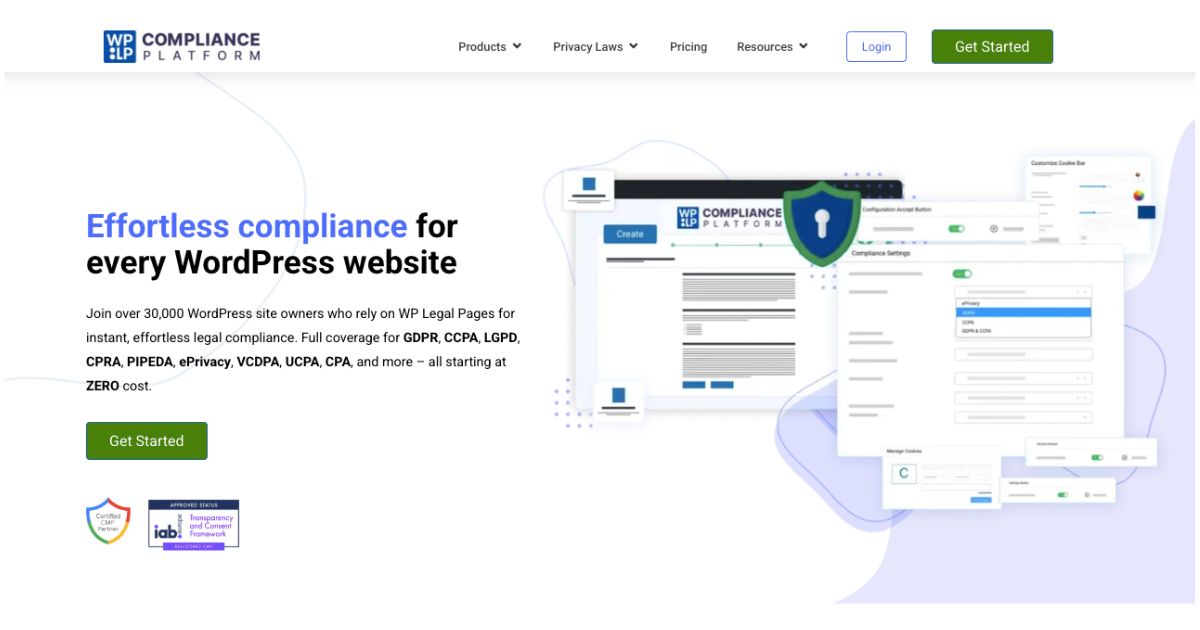
The WPLP Compliance Platform isn’t just one plugin — it’s actually two powerful tools rolled into one.
First, there’s WP Legal Pages, which helps you generate all the legal documents your blog needs, like privacy policies, disclaimers, and terms of service.
Then there’s WP Cookie Consent, which manages cookie banners, consent tracking, and script blocking to keep your site GDPR, CCPA, and ePrivacy compliant.
The best part? It’s all built directly for WordPress, so you don’t have to juggle multiple apps or complicated integrations. Everything happens right in your dashboard, making it easy to create, edit, and update legal pages without needing a law degree or hiring expensive help.
In short, WPLP puts all your blog’s legal compliance tools under one roof, saving time, reducing mistakes, and giving you peace of mind.
Key Features
With The WPLP Compliance Platform, you can:
- generate over 25 legal policies instantly;
- track and manage user consents;
- automatically block third-party scripts (like Google Analytics, YouTube, Meta Pixel) until the user gives consent;
- get access to pre-designed cookie banner templates;
- add age-gating popups;
- create and display affiliate disclosures
- And more.
WP Legal Pages Templates
Here’s what their WordPress Privacy Policy Generator covers:
- GDPR Privacy Policy
- Terms & Conditions
- CCPA (California Consumer Privacy Act)
- Amazon Affiliate Disclosure
- Linking Policy
- General Disclaimers
- FTC Disclosure Statement
- Refund Policy
- DMCA Policy
- GDPR Cookie Policy
- Blog Comments Policy
- Affiliate Agreement
- Children’s Online Privacy Policy (COPPA)
- Affiliate Marketing Disclosures
- External Links Policy
- DoubleClick DART Cookie Policy
- Returns & Refunds
- FTC Testimonials Disclosure
- Terms of Service
- Digital Goods Refunds
- Anti-Spam Policy (CASL Compliant)
- Facebook Privacy Policy
- Medical Disclaimers
- Earnings Disclaimer
- California Privacy Rights Policy
- Newsletter Subscription Policy
- Impressum
Pricing
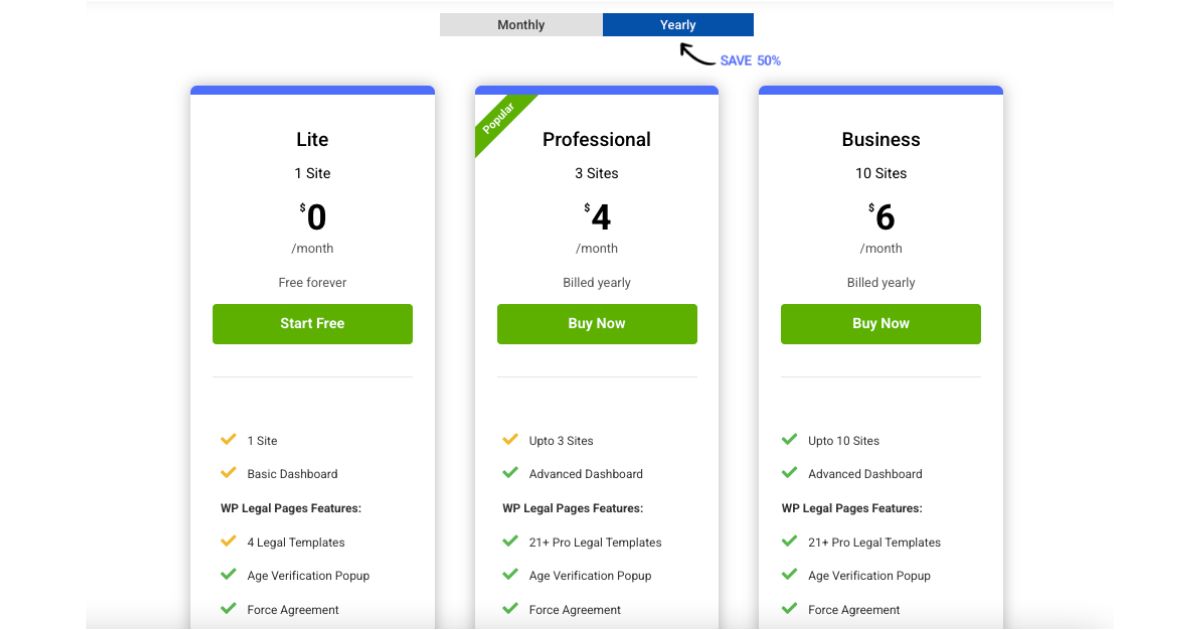
WPLP Compliance Platform keeps things simple and affordable. There’s a free version that covers the basics, letting you create essential legal pages and cookie banners for one site.
If you want more templates, advanced cookie tools, or multi-site support, their Professional plan starts at just $48/year for up to 3 sites.
You get all the pro legal templates, 50 cookie consent scans and 100,000 page views per month, and features such as Consent Log – View & Export, Revoke Consent, Data Subject Access Request, Google Consent Mode v2, Export/Import Cookie Settings, Geo-targeting, IAB TCF 2.2 Support, and Remove Branding.
There’s also a Business plan ($72/year) which you can use for up to 10 websites. It also goes with unlimited page views and cookie scans with up to 20,000 pages per scan.
Whether you’re a new blogger or running multiple websites, the pricing makes it easy to get fully covered without breaking the bank.
Now, let’s see how to set up your legal pages and cookie consent so you can blog legally.
WPLP Compliance Platform Setup
Step 1: Head to the WP Legal Pages website and create an account (free or paid, based on the plan you’re interested in).
Step 2: Download the two plugins.
Once you’re logged in, you will see two files in your dashboard that you can download: WP Legal Pages and WP Cookie Consent.
Download them now. There are also installation guides for both on the same page in case you need more help.
Step 3: Upload the plugins to your WordPress site.
Inside your WP dashboard, go to Plugins and click ‘Add Plugin’, and then ‘Upload Plugin’.
Now add the two .zip files, install and activate them.
Step 4: Set up your Cookie Consent Banner.
You can now access both plugins from the menu on the left.
You’ll see the WP Legal Pages tab and can easily connect your existing WPLP Compliance Platform account.
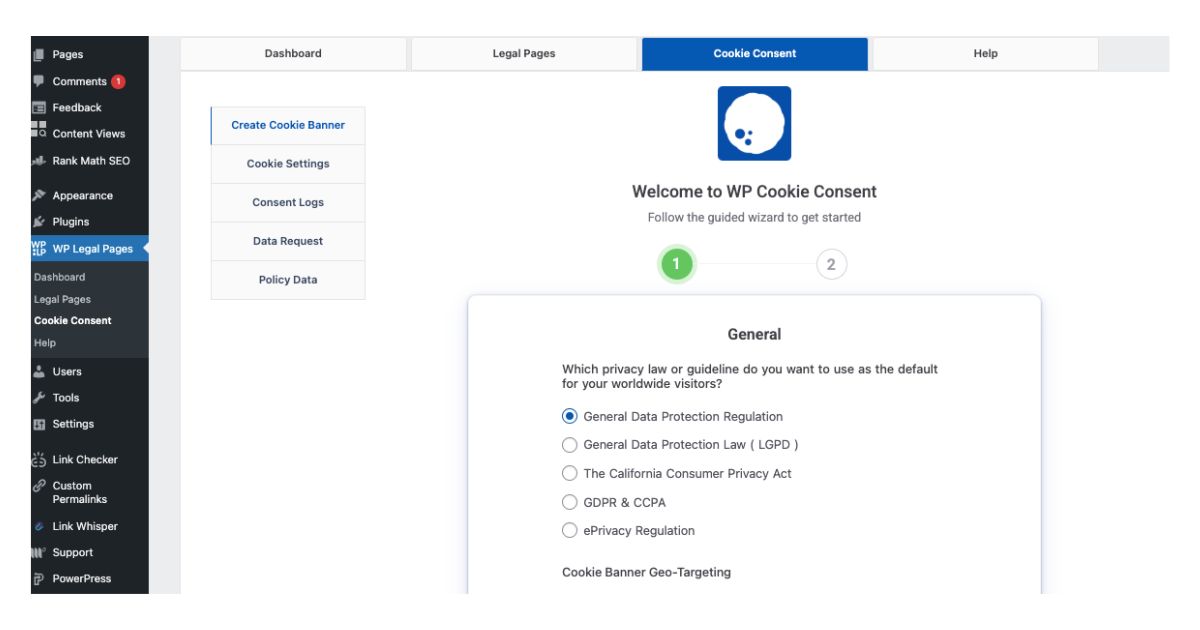
For Cookie Consent, answer the 2 general questions you see (about which privacy law you want to use as default as well as whether your cookie banner geo-targeting will be worldwide or for select countries.)
You’ll see some more options on the next page (but can also leave everything as it is), after which you can finish the setup.
Your banner is now live and you can preview it or edit it.
Step 5: Set up your legal pages.
Now head to the legal pages tab and click ‘Create Page.’
You’ll then be taken to the guided wizard, where you can see all the available templates and click ‘Create’ on any.
For each, you’ll see the exact steps to follow and details to fill in to easily create your legal page. You can also exit the Wizard at any time.
There’s also a ‘Settings’ tab in the Legal Pages section of the plugin, where you can add your business information.
Under ‘Advanced’, you’ll see options to allow search engines to display your legal pages in search results, to display credits, allow usage tracking and add a Gutenberg block for easily integrating any of your legal policies directly into the WordPress editor.
Under ‘Compliances’, you can also choose to add the pages to the footer (that’s a good idea). Each option there also allows for configuration.
Also read: Sponsored Blogging: What It Is & How to Start Making Money
You now know how to blog legally!
As you can see, The WPLP Compliance Platform is ideal for bloggers, freelancers, WooCommerce stores, nonprofits, and anyone who wants a simple, all-in-one solution for legal pages and cookie consent.
It’s also easy to set up and there’s a free version.
Whether you decide to use this exact plugin or another one, the point is to not wait until compliance becomes a problem. Get your blog legally protected sooner rather than later.


